Help
Welcome to Sobdochok: Daily Bangla Puzzle. It was previously called শব্দছক - Bengali Crossword Daily. This page explains how to play the crosswords, how weekly contests work, and answers common questions.
1. How to play the crossword
Each puzzle is a Bengali crossword. Words run across and down, and shared letters help you solve the rest of the board.
A typical game looks like this:
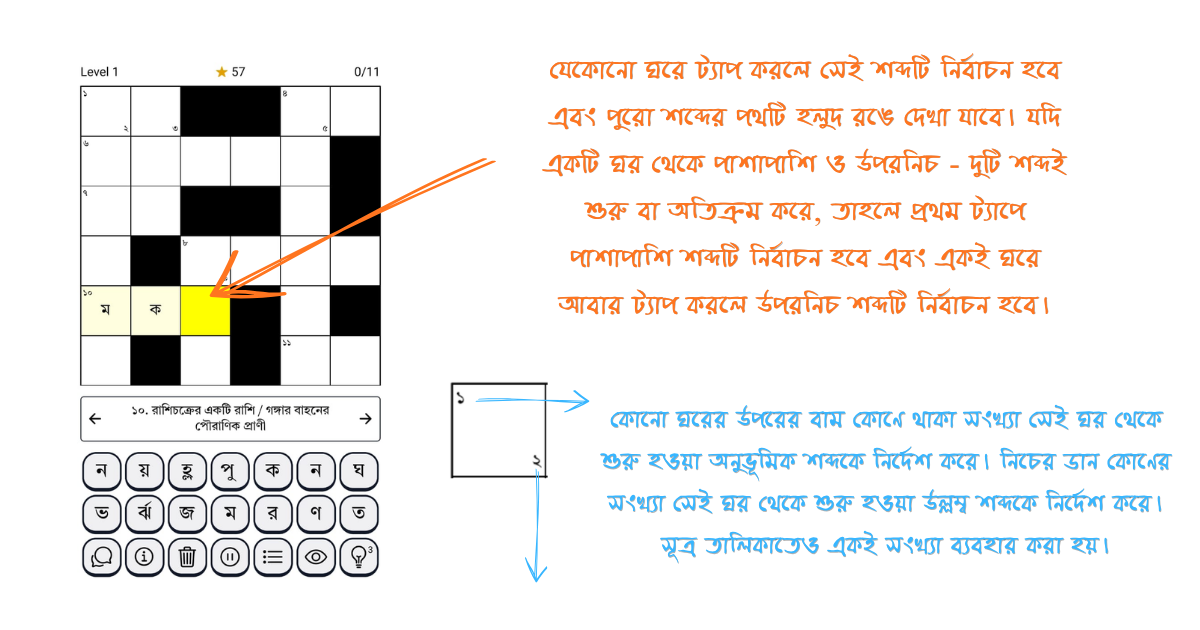
- Tap a cell to select a word. The selected word is highlighted.
-
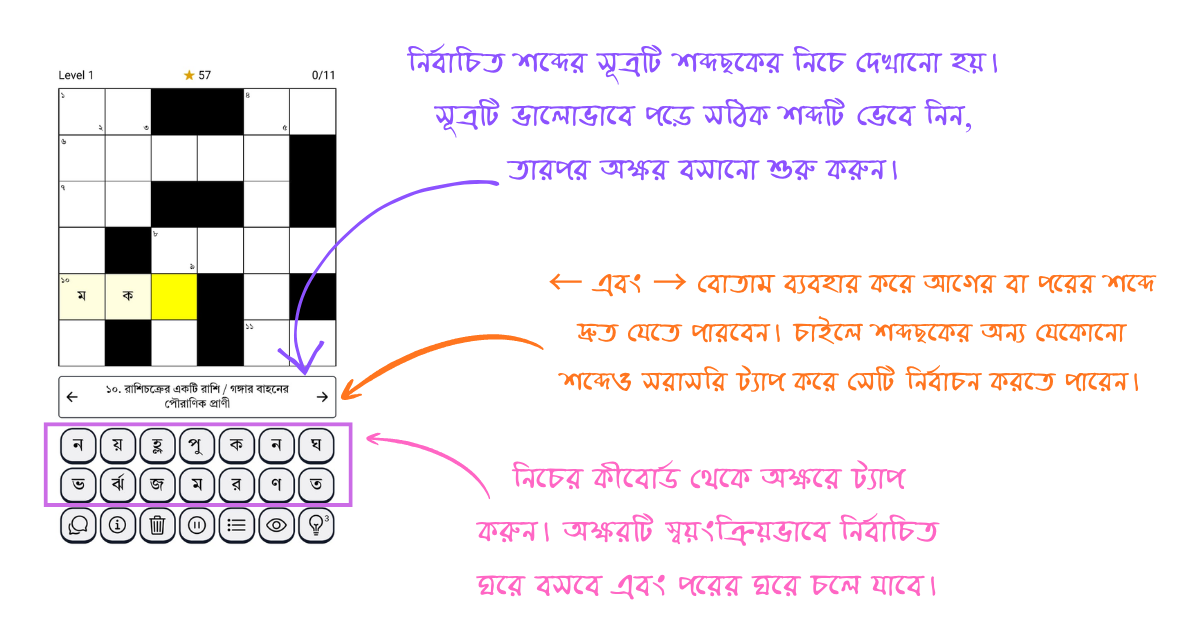
Read the clue under the board. Use
and to move to the previous or next word. - Tap letters on the Bengali keyboard. The letter is placed in the selected cell.
- When a word is correct, it locks in. Fill every word to complete the puzzle and earn stars.
- Your progress is saved on this device, so you can leave and continue later.
You can start Beginner puzzles without an account. Signing in unlocks contests, the lucky draw, and your account screen.
Action buttons
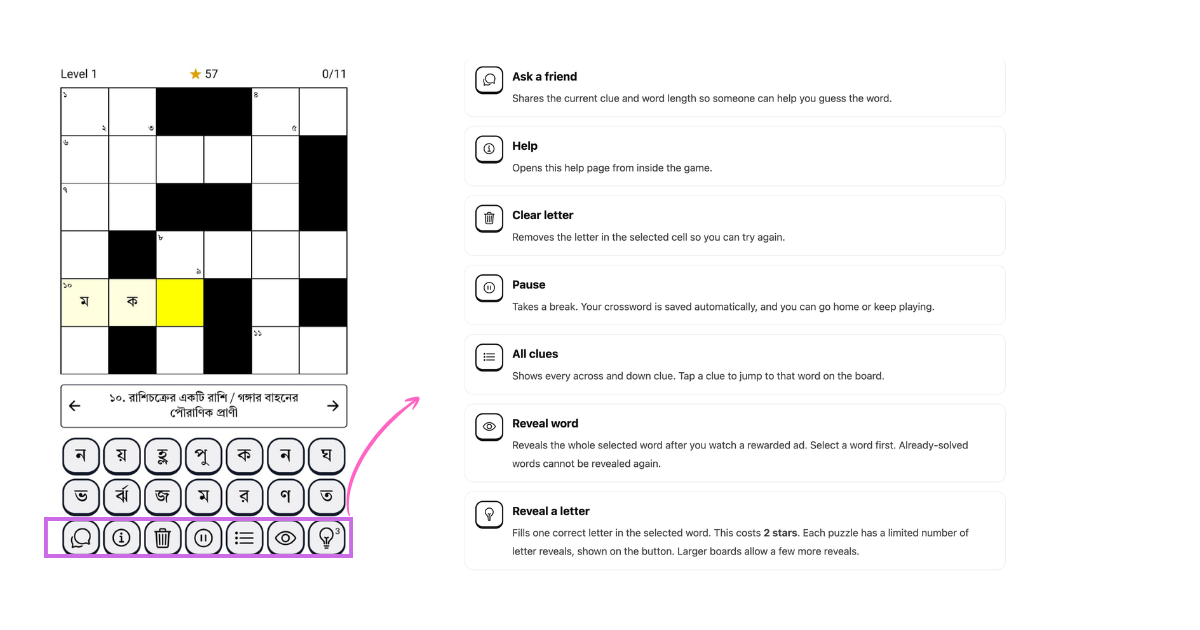
These buttons sit with the letter keyboard while you play. They use the same icons as in the App.
Ask a friend
Shares the current clue and word length so someone can help you guess the word.
Help
Opens this help page from inside the game.
Clear letter
Removes the letter in the selected cell so you can try again.
Pause
Takes a break. Your crossword is saved automatically, and you can go home or keep playing.
All clues
Shows every across and down clue. Tap a clue to jump to that word on the board.
Reveal word
Reveals the whole selected word after you watch a rewarded ad. Select a word first. Already-solved words cannot be revealed again.
Reveal a letter
Fills one correct letter in the selected word. This costs 2 stars. Each puzzle has a limited number of letter reveals, shown on the button. Larger boards allow a few more reveals.
Tip: solve the easier clues first. Once a few letters are in place, the crossing words become much easier.
2. Stars
Stars are the in-app currency. You use them for letter reveals and contest entry fees. You can earn stars by:
- solving a crossword;
- collecting your daily streak reward;
- watching a rewarded ad from the star balance screen;
- signing in for the first time; and
- finishing weekly contests (participation or win rewards).
3. Weekly contests
Contests are short timed challenges. You need to sign in to play them. A contest may cost stars to enter. After you submit, your score and time are saved. When the contest ends, you can see the leaderboard and collect a star reward.
These are the contest types currently in the App:
- Daily quiz — answer multiple-choice questions, one after another.
- Picture quiz — the same quiz format, with an image for each question.
- Word jumble — read the prompt, use the given letters, and type the unscrambled word.
- Word scramble — build several words by placing letter tiles into the empty slots.
Completing contests also counts toward the Weekly Lucky Draw. Finish 10 contests in the same week to become eligible. Each week, 3 winners receive a ₹50 Amazon gift card. Winners are announced on Monday and should check the email on their account.
4. FAQ
Do I need an account to play?
No. Daily crosswords, especially Beginner puzzles, can be played without signing in. You need an account for weekly contests, contest results, the lucky draw, and the account screen.
How do I sign in?
Open Weekly Contest or Account and sign in with a Google account, or enter your email and the one-time code we send you. There is no password.
Is my progress saved?
Yes. Crossword progress is saved on your device. You can pause and continue later. Clearing progress in Settings, or uninstalling the App, removes that local progress. Contest results are saved to your account.
Why is the light-bulb button disabled?
You have used all letter reveals for that puzzle, or you do not have enough stars. Revealing one letter costs 2 stars. You can also reveal a whole word by watching an ad with the eye button.
How do I get more stars?
Solve puzzles, collect your daily streak, watch a rewarded ad, sign in for the signup bonus, or finish contests. The star icon at the top of the App shows your balance.
How do contests and the lucky draw work?
Sign in, open Weekly Contest, and enter an active contest. Some contests cost stars. Submit before the contest ends. Completing 10 contests in one week makes you eligible for that week’s lucky draw. You do not need to enter the draw separately.
I won the lucky draw. Where is my gift card?
Check the inbox for the email on your account, including spam. If you still do not see it, email us at hello.okbangla@gmail.com.
How do I turn notifications on or off?
Use the notification switch in Settings, or change notification permission in your phone settings. The App can remind you when contests go live, when results are ready, and about the lucky draw.
How do I change my name?
Sign in, open your account, and edit the name field. Your email cannot be changed in the App. Your display name may appear on contest leaderboards.
Can I play without internet?
You need an internet connection to download puzzles, sign in, and play contests. A crossword you already started is saved on your device.
How do I clear my crossword progress?
Open Settings and choose Clear. This only removes local crossword progress on that device. It does not delete your account, contest history, or stars.
5. Contact us
If you still need help, email us and we will get back to you:
Email:
hello.okbangla@gmail.com